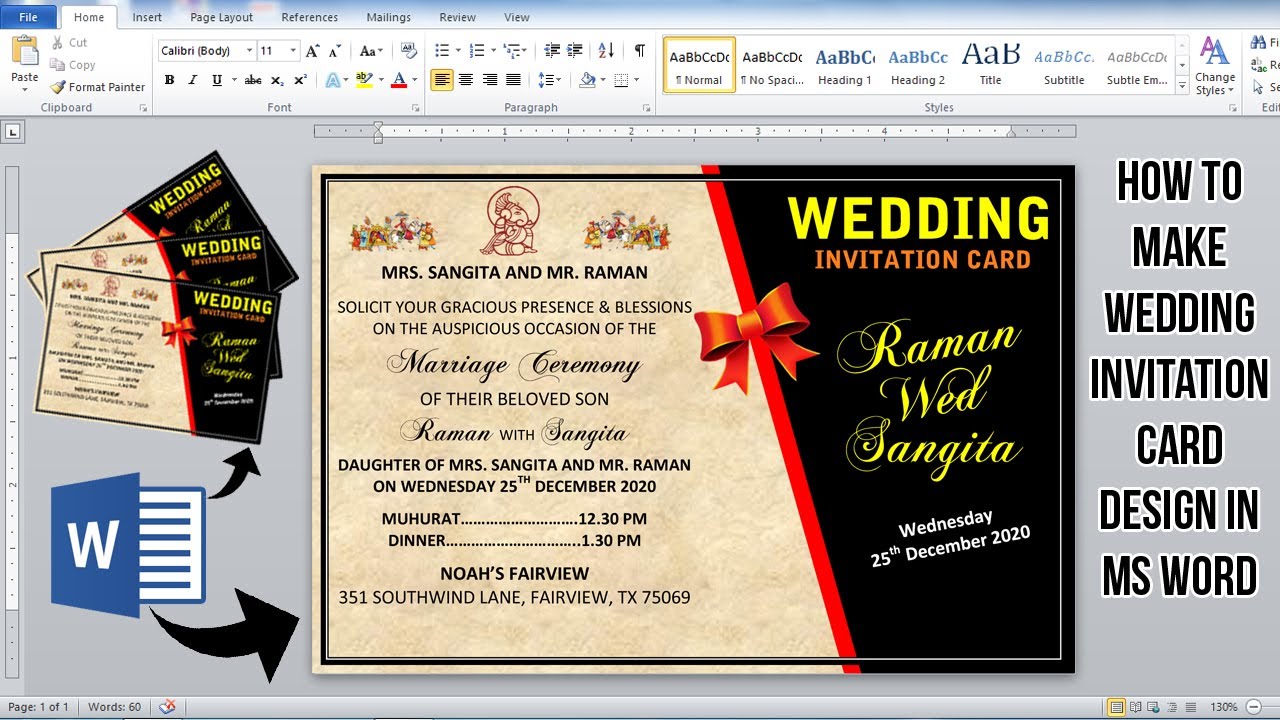
Create Your Own Invitation Card on Microsoft Word: A Step-by-Step Guide
Designing Your Invitation Card
Are you looking for a way to create a unique and personalized invitation card for your special occasion? Look no further than Microsoft Word! With its user-friendly interface and wide range of templates and design tools, Word is the perfect platform for creating beautiful and professional-looking invitation cards. In this article, we'll take you through the steps to make a stunning invitation card on Word, from choosing a template to adding text and images.
To start, open Microsoft Word and click on the 'File' tab. Then, select 'New' and type 'invitation card' in the search bar. Word will provide you with a range of templates to choose from, including birthday party invitations, wedding invitations, and more. Choose a template that fits your occasion and click 'Create' to open it in Word. You can then customize the template by changing the colors, fonts, and layout to fit your needs.
Adding Text and Images to Your Invitation Card
Once you've chosen your template, it's time to start designing your invitation card. You can add text, images, and other elements to make your card unique and eye-catching. To add text, simply click on the 'Insert' tab and select 'Text Box'. You can then type in your text and format it using the various font and alignment tools. To add images, click on the 'Insert' tab and select 'Picture'. You can then browse your computer for the image you want to use and insert it into your card.
With your design elements in place, it's time to finalize your invitation card. Make sure to proofread your text for spelling and grammar errors, and adjust the layout and formatting as needed. You can also add other elements, such as borders, shapes, and graphics, to make your card more visually appealing. Once you're happy with your design, click 'File' and 'Save' to save your invitation card. You can then print it out on cardstock or send it digitally to your guests. With these simple steps, you can create a beautiful and professional-looking invitation card on Microsoft Word that will impress your friends and family.